
chatlas0.14.0
chatlas0.14.0
Published
A simple and consistent interface for chatting with LLMs
pip install chatlas
Package Downloads
Authors
Project URLs
Requires Python
>=3.9
Dependencies
- jinja2
- openai
- orjson
- pydantic
>=2.0 - requests
- rich
- anthropic
; extra == "anthropic" - anthropic
[bedrock]; extra == "bedrock-anthropic" - databricks-sdk
; extra == "databricks" - anthropic
[bedrock]; extra == "dev" - databricks-sdk
; extra == "dev" - google-genai
>=1.14.0; extra == "dev" - htmltools
; extra == "dev" - matplotlib
; extra == "dev" - narwhals
; extra == "dev" - numpy
>1.24.4; extra == "dev" - openai
; extra == "dev" - pandas
; extra == "dev" - pillow
; extra == "dev" - polars
; extra == "dev" - python-dotenv
; extra == "dev" - ruff
>=0.6.5; extra == "dev" - shiny
; extra == "dev" - shinychat
; extra == "dev" - snowflake-ml-python
>=1.8.4; extra == "dev" - tenacity
; extra == "dev" - tiktoken
; extra == "dev" - torch
; python_version <= "3.11" and extra == "dev" - griffe
>=1; extra == "docs" - ipykernel
; extra == "docs" - ipywidgets
; extra == "docs" - nbclient
; extra == "docs" - nbformat
; extra == "docs" - numpy
; extra == "docs" - pandas
; extra == "docs" - pyyaml
; extra == "docs" - quartodoc
>=0.7; extra == "docs" - sentence-transformers
; extra == "docs" - inspect-ai
; python_version >= "3.10" and extra == "eval" - google-genai
>=1.14.0; extra == "google" - mcp
>=1.4.0; python_version >= "3.10" and extra == "mcp" - snowflake-ml-python
<=1.9.0; extra == "snowflake" - pyright
>=1.1.379; extra == "test" - pytest-asyncio
; extra == "test" - pytest
>=8.3.2; extra == "test" - syrupy
>=4; extra == "test" - google-genai
>=1.14.0; extra == "vertex"
chatlas 




Your friendly guide to building LLM chat apps in Python with less effort and more clarity.
Install
Install the latest stable release from PyPI:
pip install -U chatlas
Or, install the latest development version from GitHub:
pip install -U git+https://github.com/posit-dev/chatlas
Quick start
Get started in 3 simple steps:
- Choose a model provider, such as ChatOpenAI or ChatAnthropic.
- Visit the provider's reference page to get setup with necessary credentials.
- Create the relevant
Chatclient and start chatting!
from chatlas import ChatOpenAI

# Optional (but recommended) model and system_prompt
chat = ChatOpenAI(
    model="gpt-4.1-mini",
    system_prompt="You are a helpful assistant.",
)

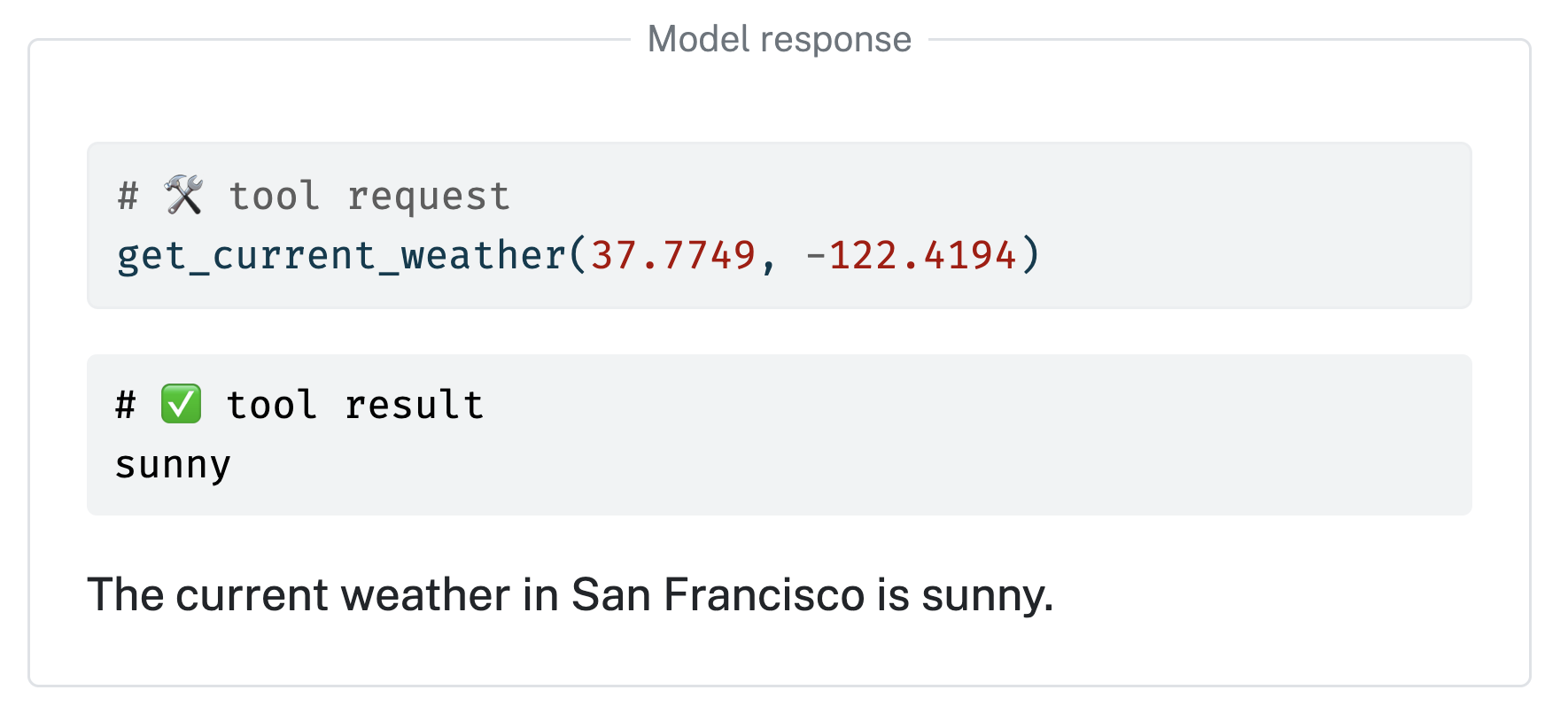
# Optional tool registration
def get_current_weather(lat: float, lng: float):
    "Get the current weather for a given location."
    return "sunny"

chat.register_tool(get_current_weather)

# Send user prompt to the model for a response.
chat.chat("How's the weather in San Francisco?")
Learn more at https://posit-dev.github.io/chatlas