
pyglm2.8.3
Published
OpenGL Mathematics library for Python
pip install pyglm
Package Downloads
Authors
Project URLs
Requires Python
Dependencies
PyGLM
OpenGL Mathematics (GLM) library for Python
GLSL + Optional features + Python = PyGLM
A mathematics library for graphics programming.
PyGLM is a Python extension written in C++.
By using GLM by G-Truc under the hood, it manages to bring glm's features to Python.
Some features are unsupported (such as most unstable extensions).
If you encounter any issues or want to request a feature, please create an issue on the issue tracker.
For a complete reference of the types and functions, please take a look at the wiki.
Tiny Documentation
Why PyGLM?
Besides the obvious - being mostly compatible with GLM - PyGLM offers a variety of features for vector and matrix manipulation.
It has a lot of possible use cases, including 3D-Graphics (OpenGL, DirectX, ...), Physics and more.
At the same time, it has great performance, usually being a lot faster than numpy! (see end of page)
(depending on the individual function)
Installation
PyGLM supports Windows, Linux, MacOS and other operating systems.
It can be installed from the PyPI using pip:
pip install pyglm
And finally imported and used:
from pyglm import glm
Changed in version 2.8
When using PyGLM version 2.7.3 or earlier, use
try:
    from pyglm import glm
except ImportError:
    import glm
Attention: Using import glm will be deprecated in PyGLM 3.0.
Using PyGLM
PyGLM's syntax is very similar to the original GLM's syntax.
The module glm contains all of PyGLM's types and functions.
Typing stubs by @esoma are available in the glm_typing module.
For more information, take a look at the wiki.
License requirements
Please make sure to include COPYING in your project when you use PyGLM!
(this is especially relevant for binary distributions, e.g. *.exe)
You can do so by copying the COPYING file (or it's contents) to your project.
Differences to glm
Instead of using double colons (::) for namespaces, periods (.) are used, so
glm::vec2 becomes glm.vec2.
PyGLM supports the buffer protocol, meaning its compitible to other objects that support the buffer protocol,
such as bytes or numpy.array
(for example you can convert a glm matrix to a numpy array and vice versa).
PyGLM is also capable of interpreting iterables (such as tuples) as vectors, so e.g. the following equasion is possible:
result = glm.vec2(1) * (2, 3)
Note: This feature might not or only partially be available in PyGLM versions prior to 2.0.0
PyGLM doesn't support precision qualifiers. All types use the default precision (packed_highp).
If a glm function normally accepts float and double arguments, the higher precision (double) is used.
There is no way to set preprocessor definitions (macros).
If - for example - you need to use the left handed coordinate system, you have to use *LH, so
glm.perspective becomes glm.perspectiveLH.
All types are initialized by default to avoid memory access violations.
(i.e. the macro GLM_FORCE_CTOR_INIT is defined)
In case you need the size of a PyGLM datatype, you can use
glm.sizeof(<type>)
The function glm.identity requires a matrix type as it's argument.
The function glm.frexp(x, exp) returns a tuple (m, e), if the input arguments are numerical.
This function may issue a UserWarning. You can silence this warning using glm.silence(1).
The function glm.value_ptr(x) returns a ctypes pointer of the respective type.
I.e. if the datatype of x is float, then a c_float pointer will be returned.
Likewise the reverse-functions (such as make_vec2(ptr)) will take a ctypes pointer as their argument
and return (in this case) a 2 component vector of the pointers underlying type.
glm.silence(ID) can be used to silence specific warnings.
Supplying an id of 0 will silence all warnings.
FAQ
How to pass the matrices generated by PyGLM to OpenGL functions?
You will find an overview on the [Passing data to external libs] page.
Types and functions are not available after installing from the PyPI using pip install glm
Most likely you've installed glm, a JSON parser and not PyGLM (or a very early version of PyGLM).
The correct install command is:
pip install pyglm
Why is <experimental extension name here> not supported?
I prefer not to add too many experimental extensions to PyGLM, especially as they might change or be removed in the future and it is simply too much effort for me to keep up with all that.
If you need a specific experimental extension, feel free to submit a feature request on the issue tracker.
I try adding them on a one-by-one basis.
Short example
from pyglm import glm

# Create a 3D vector
v1 = glm.vec3(1, 2, 3)
v2 = glm.vec3(4, 5, 6)

# Vector addition
v3 = v1 + v2
print(f"Vector addition: {v3}")
# Vector addition: vec3(            5,            7,            9 )

# Vector cross product
# -> The resulting vector is perpendicular to v1 and v2.
cross_product = glm.cross(v1, v2)
print(f"Cross product: {cross_product}")
# Cross product: vec3(           -3,            6,           -3 )

# Vector dot product
# -> If the dot product is equal to 0, the two inputs are perpendicular.
dot_product = glm.dot(v1, cross_product)
print(f"Dot product: {dot_product}")
# Dot product: 0.0

# Create a 4x4 identity matrix
matrix = glm.mat4()
print(f"Identity matrix:\n{matrix}")
# Identity matrix:
# [            1 ][            0 ][            0 ][            0 ]
# [            0 ][            1 ][            0 ][            0 ]
# [            0 ][            0 ][            1 ][            0 ]
# [            0 ][            0 ][            0 ][            1 ]

# Rotate the matrix around the Z-axis
angle_in_radians = glm.radians(45)  # Convert 45 degrees to radians
rotation_matrix = glm.rotate(matrix, angle_in_radians, glm.vec3(0, 0, 1))
print(f"Rotation matrix (45 degrees around Z-axis):\n{rotation_matrix}")
# Rotation matrix (45 degrees around Z-axis):
# [     0.707107 ][    -0.707107 ][            0 ][            0 ]
# [     0.707107 ][     0.707107 ][            0 ][            0 ]
# [            0 ][            0 ][            1 ][            0 ]
# [            0 ][            0 ][            0 ][            1 ]

# Apply the rotation to a vector
# -> We use a vec4 with the w-component (given vec4(x, y, z, w)) set to 1,
#    to put v1 into homogenous coordinates.
rotated_vector = rotation_matrix * glm.vec4(v1, 1)
print(f"Rotated vector: {rotated_vector}")
# Rotated vector: vec4(    -0.707107,      2.12132,            3,            1 )
PyGLM in action
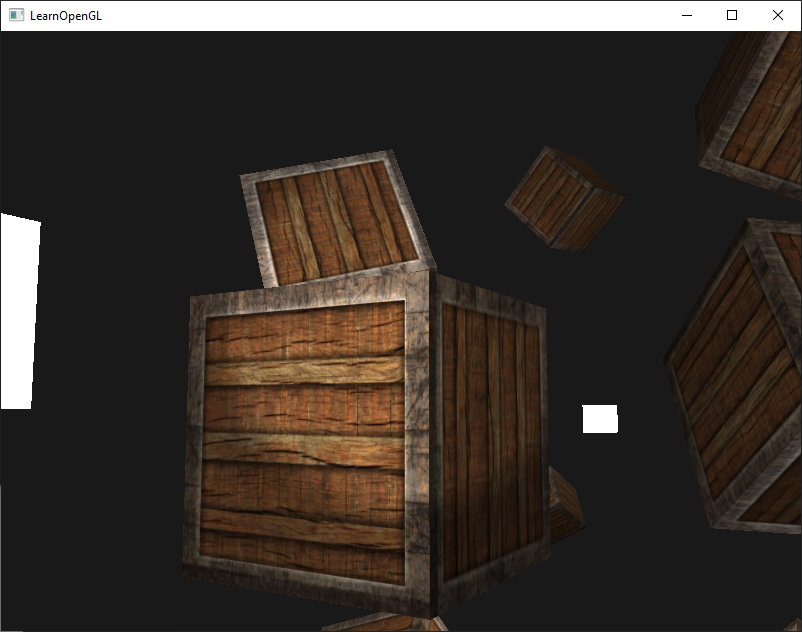
Want to see what PyGLM can do?
Take a look at the examples from the popular LearnOpenGL tutorials by Joey De Vries running in Python using PyGLM.
Speed comparison to numpy
The following is the output generated by test/PyGLM vs Numpy.py
Evaluating performance of PyGLM compared to NumPy.

Running on platform 'win32'.

Python version:
3.13.0 (tags/v3.13.0:60403a5, Oct  7 2024, 09:38:07) [MSC v.1941 64 bit (AMD64)]

Comparing the following module versions:
PyGLM (DEFAULT) version 2.7.2
 vs
NumPy version 2.1.2
________________________________________________________________________________

The following table shows information about a task to be achieved and the time
it took when using the given module. Lower time is better.
Each task is repeated ten times per module, only showing the best (i.e. lowest)
value.


+----------------------------------------+------------+------------+-----------+
| Description                            | PyGLM time | NumPy time |     ratio |
+----------------------------------------+------------+------------+-----------+
| 3 component vector creation            |            |            |           |
| (100,000 times)                        |        8ms |       30ms |     3.78x |
+----------------------------------------+------------+------------+-----------+
| 3 component vector creation with       |            |            |           |
| custom components                      |            |            |           |
| (50,000 times)                         |        8ms |       33ms |     4.05x |
+----------------------------------------+------------+------------+-----------+
| dot product                            |            |            |           |
| (50,000 times)                         |        3ms |       46ms |    13.53x |
+----------------------------------------+------------+------------+-----------+
| cross product                          |            |            |           |
| (25,000 times)                         |        2ms |      523ms |   288.77x |
+----------------------------------------+------------+------------+-----------+
| L2-Norm of 3 component vector          |            |            |           |
| (100,000 times)                        |        5ms |      249ms |    49.05x |
+----------------------------------------+------------+------------+-----------+
| 4x4 matrix creation                    |            |            |           |
| (50,000 times)                         |        5ms |       15ms |     3.03x |
+----------------------------------------+------------+------------+-----------+
| 4x4 identity matrix creation           |            |            |           |
| (100,000 times)                        |        6ms |      222ms |    36.61x |
+----------------------------------------+------------+------------+-----------+
| 4x4 matrix transposition               |            |            |           |
| (50,000 times)                         |        3ms |       23ms |     6.73x |
+----------------------------------------+------------+------------+-----------+
| 4x4 multiplicative inverse             |            |            |           |
| (50,000 times)                         |        4ms |      336ms |    90.30x |
+----------------------------------------+------------+------------+-----------+
| 3 component vector addition            |            |            |           |
| (100,000 times)                        |        5ms |       52ms |    10.11x |
+----------------------------------------+------------+------------+-----------+
| 4x4 matrix multiplication              |            |            |           |
| (100,000 times)                        |        8ms |       55ms |     6.85x |
+----------------------------------------+------------+------------+-----------+
| 4x4 matrix x vector multiplication     |            |            |           |
| (100,000 times)                        |        6ms |      152ms |    23.39x |
+----------------------------------------+------------+------------+-----------+
| TOTAL                                  |      0.06s |      1.74s |    26.97x |
+----------------------------------------+------------+------------+-----------+