
tracerite2.2.1
Published
Human-readable HTML tracebacks for Python exceptions
pip install tracerite
Package Downloads
Authors
Project URLs
Requires Python
>=3.9
TraceRite
Beautiful, readable error messages for Python, with terminal and HTML formatting.
Platforms
Python scripts or REPL
pip install tracerite
import tracerite; tracerite.load()
Any error message after that call will be prettified.
IPython or Jupyter Notebook
%pip install tracerite
%load_ext tracerite
This enables tracebacks in text or HTML format depending on where you are running. Add to ~/.ipython/profile_default/startup/tracerite.ipy to make it load automatically for all your ipython and notebook sessions. Alternatively, put the two lines at the top of your notebook.
FastAPI
Add the extension loader at the top of your app module:
from tracerite import patch_fastapi; patch_fastapi()
This monkeypatches Starlette error handling and FastAPI routing to work with HTML tracebacks. Note: this runs regardless of whether you are in production mode or debug mode, so you might want to call that function only conditionally in the latter.
Sanic
Comes with TraceRite built in whenever running in debug mode.
What It Looks Like
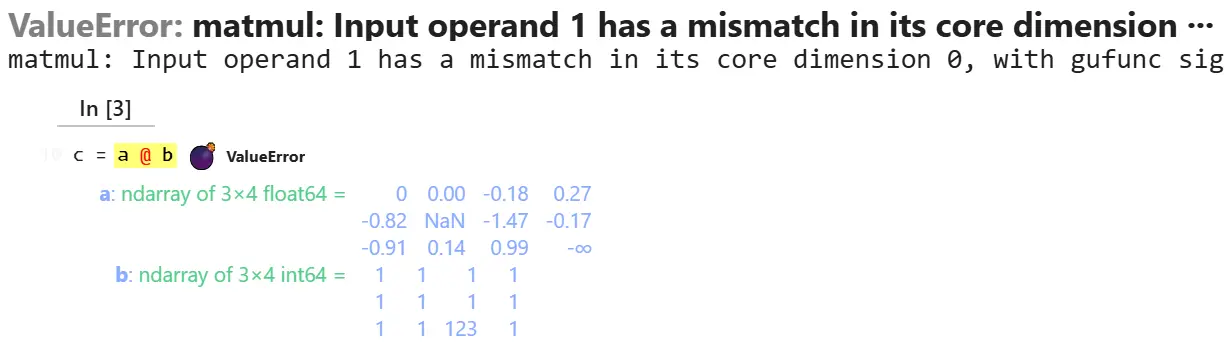 | 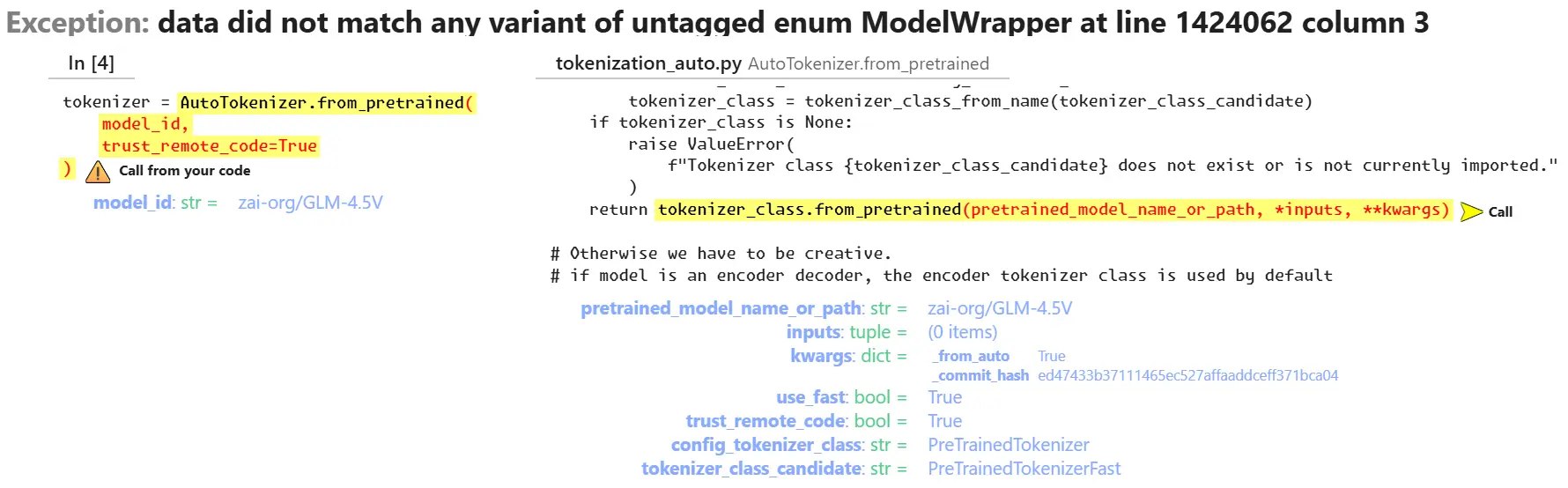 |
| NumPy error — Variable inspector shows array shapes and values at a glance. | Complex call chains — Library internals collapsed, your code front and center. |
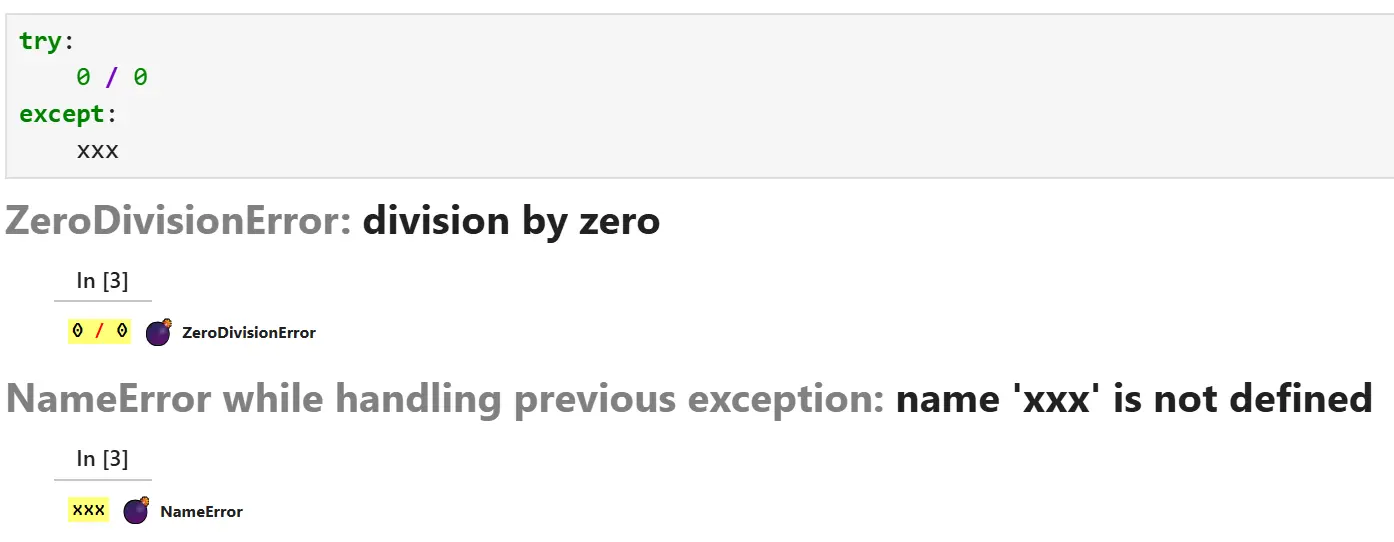 | 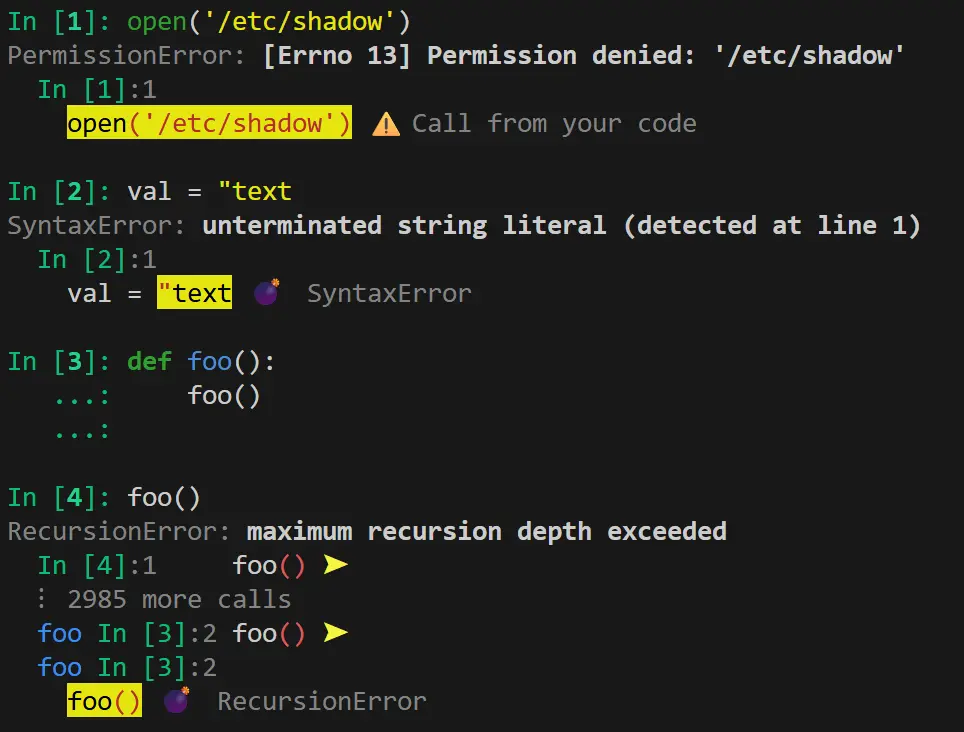 |
| Exception chains — Chained exceptions organized with the most relevant on top. | Terminal — Compact clean error messages in terminals. |
Features
- Only relevant things shown - Shows library internals but focuses on where the flow touched your code, and the variables used at the spot.
- Variable inspection - See the values of your variables in a pretty printed HTML format (or JSON-compatible machine-readable dict)
- JSON output - Intermediady dict format is JSON-compatible, useful for machine processing and used by our HTML module.
- HTML output - Works in Jupyter, Colab, and web frameworks such as FastAPI and Sanic as the debug mode error handler.
- TTY output - Colorful, formatted tracebacks for terminal applications.
- Custom CSS - Implement dark mode or custom look like that in the Sanic Framework with CSS variable overrides.
Usage
html_traceback(exc)
Renders an exception as interactive HTML that can be included on a page. Pass an exception object, or call with no arguments inside an except block to use the current exception.
extract_chain(exc)
Extracts exception information as a list of dictionaries—useful for logging, custom formatting, or machine processing.
prettyvalue(value)
Formats any value with smart truncation, array shape display, and SI-scaled numerics. Useful beyond exceptions for debugging tools or custom logging.
extract_variables(locals, source)
Extracts and formats variables mentioned in a line of source code.
load() / unload()
Load or remove TraceRite as the default exception handler for terminal applications. Handles both sys.excepthook and threading.excepthook.
tty_traceback(exc)
Renders an exception as colorful terminal output with ANSI escape codes. Pass an exception object, or call with no arguments inside an except block.
See the API documentation for details, or Development guide for contributors.
License
Public Domain or equivalent.